right crane
Apple Containers, with a real UI
Apple’s container tool brings lightweight, native containerization to macOS — but it ships CLI-only. Crane fills the gap: a polished, purpose-built app that makes container management visual, fast, and Mac-native.
No terminal required. No Electron. No subscription.
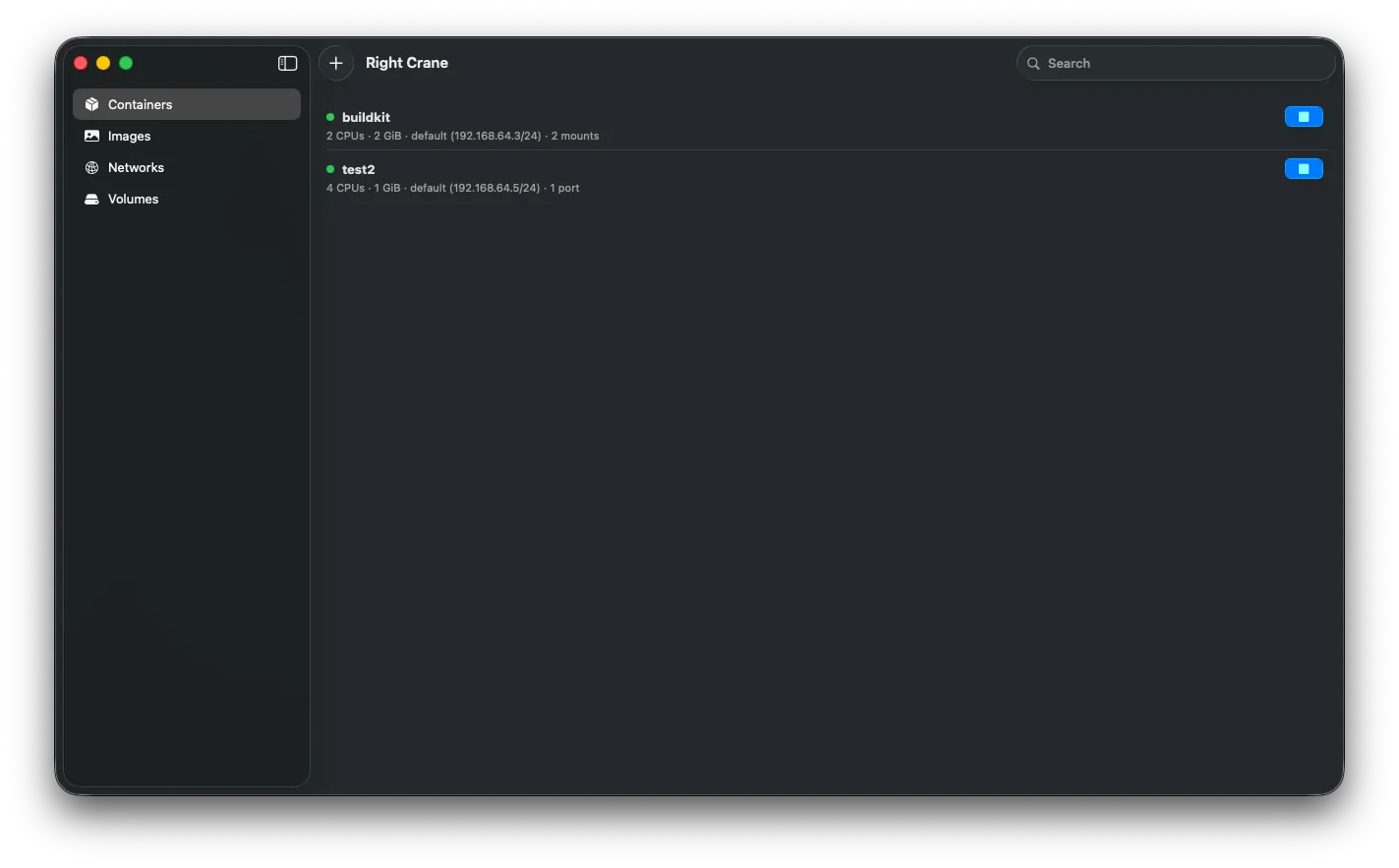
Built for macOS, inside and out
Crane is a SwiftUI app, designed for the platform it runs on. Full light and dark mode support. Native keyboard shortcuts. Sidebar navigation that behaves the way Mac users expect. The kind of app that feels right at home next to Finder and Terminal — because it’s built the same way.
Containers
View, start, stop, and monitor every container from a clean dashboard. Each container shows essential details at a glance: CPU, memory, network, mounts, ports.
Drill into any container for live metrics — CPU usage, memory consumption, network and block I/O, process count, all updating in real time. Switch to the Logs tab to stream output live and debug without ever leaving the app.
Run, build, pull
Launch a new container through a dialog that exposes everything: image, name, environment variables, working directory, user, TTY, networks. No more memorizing CLI flags.
Browse your local image library in a hierarchical view. Run, delete, or inspect any image directly. Build new images from Dockerfiles in the integrated editor — syntax highlighting included. Pull from any registry without leaving the sidebar.
Networks and volumes
Visualize container networks and the connections between them, with IP addresses surfaced where you need them. Manage volumes from the same sidebar. Everything in one place; nothing hidden behind --help.
Key features
- Native macOS app — SwiftUI, Apple Silicon, designed for macOS 26+
- Full light and dark mode — automatically follows system appearance
- Container lifecycle — create, start, stop, and remove with full configuration
- Live metrics — real-time CPU, memory, network, and disk monitoring
- Log streaming — tail container output without a terminal
- Image management — browse, run, build, pull, delete
- Dockerfile editor — integrated, syntax-highlighted
- Network and volume views — first-class, not afterthoughts
- Search — across containers, images, networks, volumes
- Open source — Swift, source on GitHub, contributions welcome
Install
Download the latest release from GitHub. Apple Silicon Mac running macOS 26 or later. You’ll also need Apple’s container CLI installed.